How to Use Apple and Google Wallet Passes to Keep Customers Coming Back
Most businesses fight for attention in crowded email inboxes.
Wallet passes put your brand on your customer's phone - right next to their bank cards
- with a push notification channel that gets 90%+ open rates. Here's how it works.
Wallet guide
6 min read · Updated July 2026
In this guide
You’ve probably used Apple Wallet or Google Wallet for a boarding pass, a concert ticket, or a coffee shop stamp card. You open your phone, the card is there, you tap and go.
Now imagine your brand having that same spot on every customer’s phone. Not an app they downloaded and forgot about. Not an email buried under 200 others. A branded card sitting in their wallet, visible every time they scroll past, with a direct line to their lock screen.
That’s what wallet passes do for businesses. And most businesses have no idea this channel exists.
What is a wallet pass?
A wallet pass is a digital card that saves to Apple Wallet (on iPhones) or Google Wallet (on Android). It doesn’t require the customer to download an app. They tap a link, the card saves, done.
The card can carry your branding - logo, colours, imagery - along with information like a discount code, your contact details, or a QR code. It looks and feels like a professional loyalty card or membership card, except it lives on their phone instead of in a drawer.
But the card itself isn’t the main event. The main event is what it unlocks: push notifications.
Push notifications through wallet passes
Once a customer has your wallet pass saved, you can send push notifications directly to their lock screen. No email deliverability worries. No spam folders. No SMS costs. Just a message, on their screen, the moment you send it.
The open rates on wallet pass push notifications are extraordinary - 90%+ in most cases. Compare that to email (15-25% on a good day) or SMS (which costs money per message and still gets ignored).
This is the channel that every brand wants but most don’t know they have access to. It’s not behind a paywall. It’s not limited to big companies with custom apps. Any business using 82DASH can issue wallet passes and send push notifications from day one.
How wallet passes work in 82DASH
In 82DASH, wallet passes are built into the content collection flow. Here’s how it works:
Step 1: A customer submits content. They scan a QR code, click a link, or respond to a content request. They upload a photo, record a video, or fill in a form.
Step 2: They receive their card. If you’ve set up a reward card, they get a branded wallet pass with their discount code or promo voucher visible on the card. If you’ve set up a contact card, they get a branded wallet pass with your business details - no reward, just your brand in their wallet.
Step 3: The card saves to their wallet. One tap and it’s in their Apple or Google Wallet. No app download, no account creation, no password to remember.
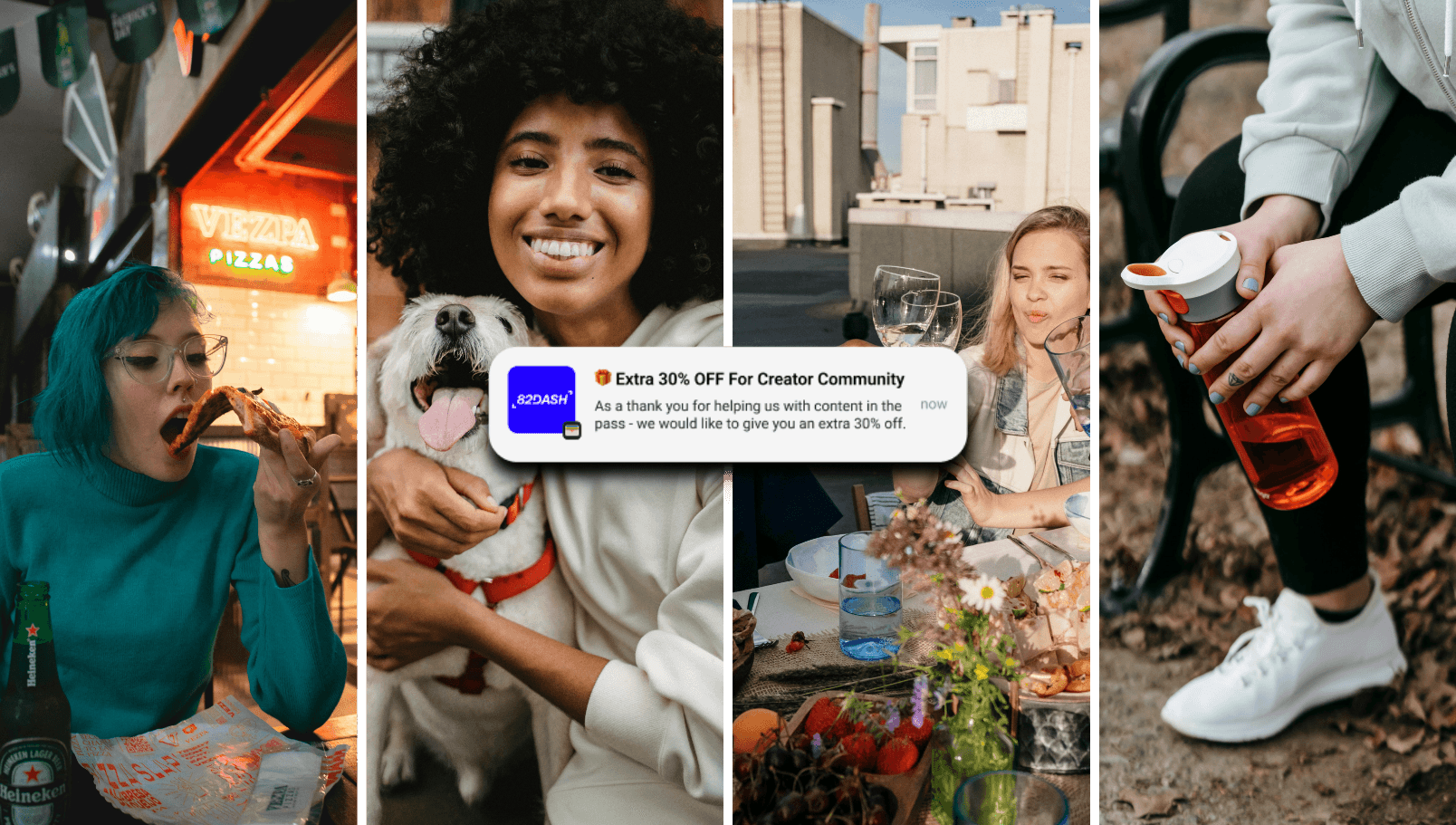
Step 4: You now have a push notification channel. From your 82DASH dashboard, you can send push notifications to everyone who holds your wallet pass. Those messages arrive on their lock screen.
That’s it. The customer submits content, gets a card, and you’ve got a permanent communication channel. The whole thing takes seconds from the customer’s perspective.
Designing your wallet card
Your wallet pass should look and feel like your brand. In 82DASH, you customise:
The icon - a small square image that appears in the wallet list. Usually your logo mark.
The logo - displayed on the front of the card. Your full logo works here.
The hero image - the main visual on the card. This could be a product shot, a venue photo, or branded artwork.
Colours - background colour and text colour to match your brand palette.
QR code - optional. You can include a QR code on the card that links to your content collection page, your website, or anything else.
Back side details - the reverse of the card can include your email address, website URL, and a discount code URL if you’re using a reward card.
The result is a card that looks professional and feels intentional - not a generic coupon, but a branded piece of real estate on the customer’s phone.
What to send via push notifications
Having the channel is one thing. Using it well is another. Here are the push notification types that work:
New content requests
“Loved your last photo - got another one for us? Same reward as last time.” This is the most natural use. The customer already submitted once and had a good experience. Asking again via push notification feels like a continuation, not an interruption.
Product launches and announcements
“Our new summer collection just dropped. Be the first to see it.” Short, direct, relevant. The customer already has a relationship with your brand - they submitted content, they saved your card. A product launch notification feels welcome, not intrusive.
Flash sales and promotions
“24 hours only: 20% off everything. Your code is on your wallet card.” The beauty of wallet passes is that you can update the card itself. The discount code appears on the card, ready to use. No searching through emails for a promo code.
Event invitations
“We’re hosting a tasting evening on Friday 14th. You’re invited.” For hospitality and local businesses, push notifications for events are incredibly effective. The open rate alone makes this worth doing.
Seasonal check-ins
“Haven’t seen you in a while - here’s 15% off your next visit.” Re-engagement notifications work particularly well because the customer has to actively delete a wallet pass to remove it. Most people don’t bother, which means your channel stays open for months or years.
Follow-up feedback requests
“Quick question: how was your last visit? 3 questions, takes 30 seconds.” You’ve already collected content from this customer. Now you’re collecting feedback. The wallet pass connects both interactions into a single, ongoing relationship.
Why wallet passes beat email and SMS
This isn’t about replacing email or SMS entirely. It’s about having a channel that works when those don’t.
Email has deliverability problems. Between spam filters, promotions tabs, and inbox fatigue, a good email open rate is 20-25%. That means 75-80% of your customers never see your message. Wallet pass push notifications are seen by 90%+ of recipients.
SMS works, but it costs money per message and feels interruptive. It’s also heavily regulated in many markets. Wallet pass push notifications are free to send and feel less invasive because the customer opted in by saving the card.
Social media is pay-to-play. Organic reach on Instagram and Facebook is a fraction of what it was five years ago. You don’t own the channel, the algorithm does. Wallet passes give you a direct line that no algorithm can throttle.
Apps require a download, an account, storage space, and ongoing engagement to avoid being deleted. Wallet passes require one tap to save and zero ongoing effort from the customer. The barrier to entry is incomparably lower.
The numbers that matter
Here’s a comparison that puts it in perspective:
Email open rates: 15-25%. SMS open rates: 40-60%. Push notifications via wallet passes: 90%+.
If you have 1,000 customers on your email list and send a campaign, roughly 200 people see it. If those same 1,000 customers have your wallet pass, roughly 900 see your push notification.
That difference is the entire argument for wallet passes.
Building your wallet pass base
The obvious question: how do you get wallet passes into customers’ phones in the first place?
This is where 82DASH’s content collection flow becomes a wallet pass growth engine. Every content request you send is also a wallet pass distribution opportunity.
Every customer who submits a photo, a video, or a form response gets a wallet card. Every QR code on your table, your packaging, your receipt, or your menu is a potential wallet pass save. Every post-purchase email with a content request link is a wallet pass invitation.
You’re not asking customers to “download our wallet pass” (which sounds like work). You’re asking them to “share a photo and get a reward” (which sounds like a fair exchange). The wallet pass is the natural byproduct of the interaction.
Over time, your wallet pass base grows with every content request campaign. After six months of running content collection, you could have hundreds or thousands of customers with your card saved - each one reachable via push notification at any time.
Beyond content collection
Once a customer has your wallet pass, the relationship extends far beyond content. The pass becomes your primary owned channel.
You can use it to drive repeat purchases, announce new products, invite people to events, collect feedback, run seasonal promotions, and re-engage lapsed customers. Every use case that you currently try to solve with email can be solved with higher open rates through wallet passes.
And here’s the compounding effect: the more you use the channel well, the more customers keep the card. If every push notification is relevant and valuable, nobody deletes it. If you spam people with daily messages, they will. Use the channel with the same care you’d use for a personal text message and it’ll keep delivering.
The side benefits
Beyond push notifications, wallet passes do a few things that are easy to overlook.
Brand visibility. Your card sits in the customer’s wallet alongside their bank cards. They see your logo every time they open their wallet app. That passive brand awareness is subtle but real.
Customer involvement. A wallet pass says “you’re part of this.” It’s different from a newsletter subscription or a social media follow. It feels more personal, more direct, more intentional. Customers who save your card are more engaged than average - they chose to keep your brand on their phone.
Data and insight. Through 82DASH, you can see how many passes are active, how many notifications were delivered, and how engagement trends over time. This gives you a feedback loop that helps you refine your messaging and timing.
Keep customers coming back with Wallet passes.
Start collecting content →